Tool Bypass Lg Google Account Download
If your Android device is running Android 5.1 and above, it has a security feature known as the Factory Reset Protection (FRP). If you try to reset your device, you will have to use the Google account and password on the device to complete the reset process. The primary goal of the FRP was to make sure that only Android device owners have the ability to factory reset their Android device. How to install android file transfer dmg.
However, what if you happen to forget the password for your Google Account? What if you purchase a secondhand device that is yet to be factory reset? Does it mean that you won’t be able to remove the device from the previous account and use it fully? Luckily for you, you can use an FRP bypass tool to bypass the FRP lock. In this article, we will show you the FRP bypass tools you can use.
- 1. iMyFone LockWiper (Android)
- 2. Samsung Reactivation/FRP Lock Removal Service
- 3. Pangu FRP Bypass APK
- 4. D & G Password Unlocker
- 5. UnlockJunky
1 Best FRP Bypass Tool in 2019 – iMyFone LockWiper (Android)
iMyFone Lockwiper (Android) has the ability to bypass the FRP lock easily without any hassle. No special skills are required when using LockWiper to unlock Google FRP. Every step you will need to follow will be available on LockWiper’s screen. The tool is incredibly quick in bypassing the FRP lock. Within a couple of minutes, you should have access to all the features on your Android device.
The latest, free and full setup of LG FRP bypass tool has been released by its developers and free download links are available for download. It looks simple but still difficult to use. There have been energizing new improvements with the consistent overhaul of the Android working framework by Google. Bypass FRP Applications and Files (Download FRP Tools Free) We have all types of frp tools that can help you to bypass google account Samsung, Motorola, LG, HTC, SONY, so you can easily Download FRP Tools from below, just go down, and download the tool that you are required, all frp apps are just one click away. To bypass FRP lock on your device, sometime we may need the Google account manager apk, so here you will find all download links to Google account manager APK with their Android version supported. Google Account Manager – Android 4.0.3 Ice cream Sandwich to 2.0 Froyo: Download.
Key features offered by iMyFone LockWiper (Android) to bypass FRP lock:

Next, disable Google Play Services and Google Account Manager and switch off the Find My Device option. Then just install Pangu FRP Unlocker on your smartphone to bypass Google verification. GSM Flasher ADB Bypass FRP Tool. With Easy FRP Tool 2019, you can skip Google account for your device without the need for a technician in repairing phones, Just FRP bypass tools for pc in one click. Join us on Telegram! We have Telegram channels that will allow you to receive android updates, APK links, Android Tools, FRP Bypass. LG’s 8 Bypass Google Verification, FRP Protection New Method 2017 This is the need to download any APK file, as we’re to bypass the LG Google Account in this method, LG K8 bypass is the latest method of Google verification 2017, we’ve some easy steps and without Factory reset protection will remove Google Account Manager, or QuickQuick Maker, or download any other APK files.
- LockWiper allows you to bypass the FRP without the device’s Google Account and password.
- After the bypass, you can sync the Android device with a new Google Account.
- A bypass done using LockWiper will give you access to all the Android device features.
- LockWiper will remove your device from the previous account which ensures that the device doesn’t get blocked or tracked using the previous user.
- It also unlocks Android screen locks quickly, containing passwords, patterns, fingerprint lock and face lock.
How to Easily Bypass FRP Using LockWiper?
Step 1:Download and launch iMyFone LockWiper (Android), select “Remove Google Lock (FRP)” from two options on the home interface.
Step 2: Tap “Start” and then connect your device to the computer with a USB cable.
Step 3: Next, confirm the device information.
Step 4: Then follow the steps on your screen to download and extract the data package for your device.
Step 5: It will start to unlock the FRP lock once the package is downloaded.
Step 6: Then LockWiper will complete FRP bypass process, giving you access to the Android device full features.
Video Guide of Bypassing FRP via LockWiper(Android)
2 Samsung Reactivation/FRP Lock Removal Service
This is an online tool which requires you to submit your device model and IMEI number. After making a payment, the online service will take a couple of days to bypass the FRP lock. If the unlock succeeds, you will receive a unique ID and password that allows you to bypass the FRP.
Features:
Cons
3 Pangu FRP Bypass APK
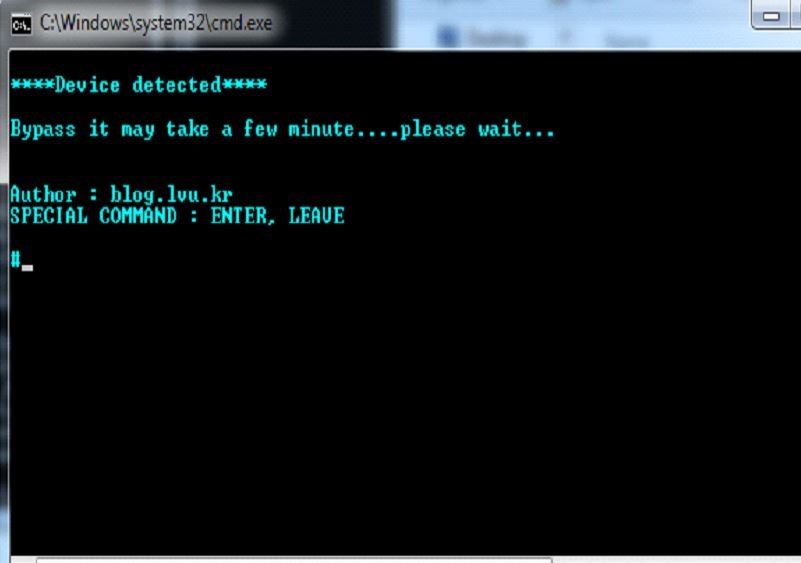
Just like the name of the tool suggests, this is an APK file that has to be installed on the device that has the FRP lock. Since you won’t have the ability to download the APK directly on the locked device, you will have to download the APK to your PC, and then use a combination of a flash drive and an OTG cable to transfer and install the tool on your Android device.
Features:
Lg Google Account Bypass Tool Free Download
Cons
4 D & G Password Unlocker
Unlike Pangu APK, this tool will require you to install it on your computer and then connect the device featuring the Google FRP unlock to your computer using a USB cable. Now, you will have to follow the onscreen instructions when using this FRP Bypass tool.
Features:
Cons
5 UnlockJunky
This is an online service which specializes on the FRP bypass. The service website is easy to use. To bypass the FRP using UnlockJunky, you will simply need to select the device model and the type of lock. Next, you will have to make your payment and wait for the UnlockJunky team to unlock your device.
Features:
Tool Bypass Lg Google Account Download Mp3
Cons
To Conclude:
We have introduced 5 FRP bypass tools in this post. You can choose the one that suits you best. Compared with other methods to unlock Google FRP, iMyFone LockWiper (Android) is the most effective and reliable tool. There is no limitations or requirements to use it and it provides you a free trial before you decide to pay. Download it now and see whether it works for your device!
On this page, we share with you the best latest largest collection of FRP Bypass Tool and FRP Bypass Apk here. all the FRP Tools you can download for free in 2020. These tools help you to Remove FRP from various android devices with a variety of ways.we share here FRP bypass apk and FRP Bypass Tools for PC here that help all the latest and old Android devices including Samsung, HTC, Sony, Hisense, LG, Huawei, Oppo, Vivo, Xiaomi, Realme, OnePlus, Poco, Infocus, Infinix and many more Android devices easily. Below we share what is Android FRP and how to download frp tools and why you need to Bypass the FRP lock from your device.
Android is the most popular mobile OS developed by Google. FRP is a security feature for Android. Its automatically enabled when you add a Google account on your device first time. Then its protect your device from unwanted access. When you lost your device, the intruder trying to reset your device will be facing denied access or “verify the Google Account to Continue” screen. this is the way how FRP (Factory Reset Protection) is working on Android phones. FRP (Factory Reset Protection) was first introduced in Android Lolipop (5.0) devices.
Sometimes, we forget our Google ID and Password and after the hard reset of our device. And that’s where this article helps you and comes in handy.
Here we have listed all latest FRP Bypass Tool and FRP Bypass APK here. just download FRP tools and try the FRP Tools with your device to FRP Unlock. Make sure, check out the FRP bypass solutions for your device which helps you how you can use these tools and Apk properly with your device.
Download FRP Tools 2020
Download Google Account Manager
- DownloadGoogle Account Manager Android 9.0 Pie.
- Download Google Account Manager Android 8.1 Oreo.
- Download Account Manager Android 8.0 Oreo.
- Download Google Account Manager Android 7.1.2 Nougat.
- Download Google Account Manager Android 7.1 Nougat.
- Download Account Manager Android 7.0 Nougat.
- Download Google Account Manager Android 6.0.1 Marshmallow.
- Download Google Account Manager Android 6.0 Marshmallow.
- Download Account Manager Android 5.1 Lollipop.
- Download Google Account Manager Android 5.0.1 Lollipop.
Download FRP Bypass APK Tools
- Google App Settings Access: Download
- Shortcut Maser LITE 1.2.3: Download
- Sidebar Lite 4.4.0: Download
- Menu button: Download
- Account login: Download
- TestDPC 2.0.6: Download
- Testdpc 4.0.5: Download
- Amazon Offers: Download
- Huawei Phone Clone APK: Download
- HushSMS: Download
- Apex Launcher: Download
- FRP bypass: Download
- Google Play Services 13.2.78: Download
- Google play services: Download
- Bypass any Samsung Google Account Lock: Download
- Launch Google Settings v1.0: Download
- Development Settings v1.7.1: Download
- FRP vnROM: Download
- Samsung Smart Switch v3.6.06.10 apk: Download
- LGBackup.lbf: Download
- Quick Shortcut Maker 2.4.0: Download
- QuickShortcutMaker 2.0: Download
- Pangu FRP bypass apk: Download
- File Commander APK: Download
- HushSMS: Download
- FRP Easy: Download
Download FRP Bypass Tool
- Download FRP hijacker tool for Samsung.
- Download Odin3 v3.12.7.zip.
- Download Odin3 v3.12.3.zip.
- Download Frp Hijacker V1.0.
- Download Odin3 v3.09.zip.
- Download Realterm 2.0.0.70 Signed.
- Download Bypass FRP Calling Tool.
- Download MediaTek FRP UNLOCK TOOL.
- Download Qualcomm Flash Image Loader v2.0.0.5.
- Download SPD FRP Bypass Tool.
- Download Nokia ADB FRP Tool.
- Download QDLoader HS USB Driver.
- Download SP Flash Tool v5.1744.
Check Out:
R3 Pro MTK V2.1
MCT Dongle Latest Update
Miracle Moto Tool
Samsung Super Tool
Tool Bypass Lg Google Account Downloads
Here, we share all the direct links to download FRP tools. If you find any error while download the FRP bypass tools from here, Then comment us on below I will fix all the broken links.
Powered By: Visit here, Here, Here